Showing posts with label GNOME. Show all posts

Wednesday, October 7, 2015

We are hiring !

Did you knew SUSE is hiring ?


I've just looked at our counter today (October 7, 2015) and we have 68 opened positions.

Moreover, we have two positions which might interest people who are reading this blog through Planet GNOME(-FR):
Interested ? Apply !

Tuesday, April 14, 2015

Hackweek 12: improving GNOME password management, day 1

This week is Hackweek 12 at SUSE

My hackweek project is improving GNOME password management, by investigating password manager integration in GNOME.

Currently, I'm using LastPass which is a cloud-based password management system.

It has a lot of very nice features, such as:

  • 2 factor authentication
  • Firefox and Chrome integration
  • Linux support
  • JS web client with no install required, when logging from a unknown system (I never needed it myself)
  • Android integration (including automatic password selection for applications)
  • cli open-source client (lastpass-cli), allowing to extract account specific information
  • encrypted data (nothing is stored unencrypted server side)
  • strong-password generator
  • support encrypted notes (not only password)
  • server based (clients sync) with offline operations supported
     
However, it also has several drawbacks:
  • closed-source
  • subscription based (required for Android support)
  • can't be hosted on my own server
  • doesn't integrate at all with GNOME desktop
I don't want to reinvent the wheel (unless it is really needed), which is why I spend my first day at searching the various password managers available on Linux and compare their features (and test them a bit).

So far, I found the following programs:
  • KeePass (GPL):
    • version 1.x written in Java, still supported, not actively developed
    • version 2.x written in C# (Windows oriented), works with Mono under Linux
    • UI feels really Windows-like
    • DB format change between v1 and v2
    • supports encrypted notes
    • password generator
    • supports plugins ( a lot are available)
    • support OTP (keeotp plugin, provide 2factor auth through TOTP, HTOP built-in)
    • shared db editing
    • support yubikey (static or hotp)
    • 2 Firefox extension available(keefox, passifox)
    • 3 android applications available (one application KeePass2Android supports alternative keyboard, KeepShare supports alternative keyboard + a11y framework to fill android application forms, like LastPass)
    • Chrome extension available
    • JS application available
    • CLI available
    • big ecosystem of plugins and other applications able to process file format

  • KeePassX (GPL)
    • Qt4 "port" of KeePass (feels more a Linux application than KeePass)
    • alpha version for DB v2 support
    • missing support for OTP
    • missing support for keypasshttp (required by firefox extensions to discuss with main application), support is being done in a separate branch by a contributor, not merged
    • release are very scarse (latest release is April 2014, despite commits on git, very few people are contributing, according to git)
    • libsecret dbus support is being started by a contributor

  • Mitro:
    • company developped it was bought by Twitter last year, project released under GPL, no development since January.

  • Password Safe (Artistic license):
    • initially written by Bruce Schneier 
    • beta version available on Linux
    • written in wxWidgets 3.0 / C++
    • yubikey supported
    • android application available, no keyboard nor a11y framework usage, only use copy/paste (but allows sync of db with owncloud and other cloud platforms)
    • CLI available
    • 3 different DB formats (pre-2.0, 2.0, 3.0)
    • password history
    • no firefox extension and the "auto-type" built-in function is all but intuitive
    • support merge of various db

  • Encrypt:
    • same 0 knowledge framework as SpiderOak
    • node-js based

  • Pass:
    • simple script on top of text files / gnupg and optionnally git (used for history and can also be used to manage hosting the file)
    • not easy learning curve (CLI mostly), need gnupg to be setup before usage
    • one file per password entry, should make 
    • very basic Qt GUI available
    • basic FF extension available
    • basic android application available
Unfortunately, none of those applications properly integrates (yet) in GNOME (master password prompt, locking keyring when desktop is locked, etc..).

I've also looked at gnome-keyring integration with the various browsers:
  • Several extensions already exist, one is fully written in Javascript and is working nicely (port to libsecret is being investigated)
  • Chrome has already gnome-keyring and libsecret integration
  • Epiphany already works nicely with gnome-keyring
  • No password generator is available in Firefox / Chrome / Epiphany (nor GTK+ on a more generic basis)
Unfortunately, each browser is storing metadata in gnome-keyring for password entries in a slightly different format (fields name), causing password entries duplication and not allowing sharing keyring data across browsers.

Conclusions for this first day of hackweek:
  • Keepass file format seems to be the format of choice for password manager (a lot of applications written around it)
  • Password manager which would fit my requirement is KeePass but is written in Mono (I don't want Mono stack to come back on my desktops) and too Windows oriented, so not an option.
  • KeePassX seems to be the way to go (even if it is Qt based) but it lacks a lot of features and I'm not sure if it worth spending effort in adding those missing features there.
  • Pass is extremely simple (which would make hacking around it pretty straightforward) but requires a lot of work around it (android, GUI) to make it nicely integrated in GNOME.
I haven't yet made up my mind which solution is the best, but I'll probably spend the following days hacking around KeePassX (or a new program to wrap KP db into libsecret) and Firefox gnome-keyring integration.

Comments welcome, of course.

Monday, July 30, 2012

My hackweek8 project: dracut

Now that SUSE Hackweek 8 is over, here is recap of my own project and how it went:


I've worked on dracut (a mkinitrd replacement), to see if it works nicely on openSUSE (with the hope to replace the three different initrd we have in openSUSE, main one created by mkinitrd, the one used by YaST installer and a third one in kiwi).

Fortunately, I was not alone working on dracut for openSUSE. Thomas Renniger had started packaging dracut for openSUSE and I was able to reuse his work and improve it. Moreover, Mike Gorse uses his hackweek to also improve dracut (adding support for CIFS for instance).

  • Day 1:
    • modified my own grub2 configuration to add a additional dracut menu entry (hard coded atm)
    • succesfully booted a 12.2 VM with dracut image !
  • Day 2:
    • discussed with upstream if they would accept "compatibility" patches to team dracut about openSUSE / SLE own initrd command line and got no as an answer, because they don't want to maintain compability cruft on their own side.
    • worked on a separate module which is able to convert at boot time SUSE initrd commands into dracut one (when they are available). Works fine for "shell=1" "linuxrc=trace" and "sysrq". Upstream proposed to review the module for mistake when we are done with it
    • asked upstream if they were interested in "sysrq" feature for dracut. No response yet
    • worked on separate journal (reiserfs / XFS). Need to create VM to test it and ask upstream if they want to integrate it
  • Day 3:
    • got trenn cflags patch merged upstream
    • continue digging into dracut internals
    • journaldev is working on boot command line (tested with XFS)
    • need improvement to configure initrd with system fstab value, when available and try to use a more generic term (root.journaldev)
  • Day 4:
    • subscribed to initramfs mailing list
    • got my first patch merged upstream (journaldev support)
    • added cmdline support for mduuid and isci (TargetAddress / TargetPort / TargetName), untested (don't have the right setup)
    • ran test suite, found some issues: some in dracut upstream (fixed immediatly by upstream), some in our package (fixed mdadm and device-mapper to not call blkid binary but use udev builtin-blkid, will be faster and we save some fork ;)
  • Day 5:
    • sr mdadm and device-mapper fixes
    • tried to get all test suite to pass
      • some fixes were made to dracut, with more test passing
      • still getting issue with network based test (NFS, iSCSI, etc..). Partially working (DHCP server is working now in test suite), partially not (impossible to mount stuff in server test image, getting "EUID=1000" for root, even when booting the image with init=/bin/sh .. No clue to fix that and upstream never got this issue either, if you have an idea, I'm all ears..)


In short, this hackweek worked well for me, even if I didn't finished all I wanted to do. I'll make sure everything is pushed in Factory soon, so we could try (maybe) to switch openSUSE 12.3 to dracut.

Tuesday, August 23, 2011

GNOME 3.0 Live image release 1.5.0 available

Hi all,
Geeko from the inside
I just push a new GNOME 3.0 live image labelled as 1.5.0 (yes, I forgot to push 1.4.0 after I built it, so we are at 1.5.0 now ;)

No big changes, it is based on GNOME 3.0.2 + some additional fixes.

As always, it can be downloaded from http://www.gnome.org/getting-gnome/

For people interested, here are some download hits (it doesn't include SUSE Studio appliance nor promo dvd which is also available from GNOME ftp) :

on GNOME 3.0 release day : 4526 hits
April :  145904 hits
May : 46551 hits
June : 24747 hits
July : 23611 hits
August (from 1 to 15) : 13063 hits

Enjoy !

Thursday, August 4, 2011

Map for Desktop Summit 2011

I've cooked with other people from #gnomefr channel a Google Map with the various useful addresses for Desktop Summit 2011.

It is available here, you can also get KML file or import this map in your favorite software (for Android users, I suggest using Locus Free which can download offline OpenStreetMap data and merge our map on it, no roaming data needed !).

Wednesday, August 3, 2011

Berlin, Berlin

I've just finish slides for my talk From GIT to your custom OS image which will be on Sunday 7 August 15:10 - 15:40 at Rm3038. I'll explain how GNOME 3 Live images were built and how you can easily do the same for your project.

I'll also be on openSUSE booth and helping for Football event which is sponsored by
SUSE

See you in Berlin !

Friday, July 1, 2011

Status update on systemd for openSUSE Factory

Hi all,

here is a update on the work done on systemd for Factory :

(beware, post is long !)

Escargot

  • basic support for systemctl in chkconfig and insserv is done : it is pending review by maintainer before integration
  • support for --root in systemctl was merged upstream and will be used by chkconfig/insserv patches above.
  • a patch has been submitted to upstream systemd to parse insserv.conf : this patch only handles the "system facility" part of insserv.conf and automatically adds depencies specified in the file
  • quick investigation on Yast2 to adapt runlevel editor for systemctl support : we really need help from other people, as I don't have any knowledge of Yast internal and it seems the yast dbus client part might be missing some parts, needed for runlevel editor to talk with systemd.
  • no work done on /usr as separate partition : it is not a systemd issue in itself but from other programs which might be using data from /usr before /usr is available. The best solution would be to mount /usr from initrd => help needed !!
  • (open)SUSE is using unofficial LSB target named $ALL which is supposed to put services requiring it at the end of the boot sequence (or at the beginning of shutdown sequence); After discussing with upstream : on a static boot system (sysvinit), it is easy to resolve such dependencies, but it isn't on a dynamic system (systemd). There is a ugly hack to handle that (creating a ALL.target file which is starting after default.target is done) but it would be probably better to just fix the 4 initscripts which are still using $ALL ( amazon-late, stoppreload, Susefirewall2_setup and vboxes). I'll open bug for them.
  • X-Interactive support in systemd is not working properly : it will only work before getty is started and is broken if you try to start a service after boot. We need to transition packages which are still using X-Interactive to systemd-ask-password (which takes care of the async conversation). Only two packages need to be ported :
    • apache2, when querying password for SSL certificate : apache allows to start a script to handle the password request. We only need to plug the script and configuration part in our package
      and get it used when booting with systemd.
    • openvpn : this one is a bit complex because we can either write a daemon which would do the interface between systemd and openvpn management interface or we can try to patch openvpn to have a similar feature as apache and get this patch upstreamed. The latter has the preference of systemd upstream.
    • For both packages, help is welcome.
    • For compability with sysvinit, support for from /etc/insserv.conf in systemd was not added, so we could remove X-Interactive from openvpn/httpd sysvinit scripts but still have the function when booting from /sbin/init, thanks to /etc/insserv.conf list.
  • /etc/init.d/kbd was not handled properly : this should be fixed inFactory today or tomorrow, with systemd taking care of setting up keyboard properly. However, we might need to improve /etc/sysconfig/keyboard parsing in systemd. More tests are needed (and of course, help is welcome).
  • discussion in progress on opensuse-packaging mailing list and upstream on a set of cross distribution RPM macros to handle systemd unit files.
As you can see, we still have some work to do, but we need everybody help : either on the issues I mentioned (feel free to say "I want to help on this" here) or to do more tests or even to start creating .service files (but we still need to fix the issues listed above).

Thanks everybody for your attention.

I would be great if we could get the ball moving and maybe get one of
the next Factory milestone be a "systemd" test release but to reach this
point, we need YOU !

Friday, June 10, 2011

The road to systemd for openSUSE 12.1

Hi all,

img_2326

systemd is coming for next openSUSE (12.1) scheduled next fall.

I'll help for systemd integration in openSUSE Factory and will act as an interface between you (openSUSE testers, packagers, developers) and systemd upstream.

As you might guess, switching boot manager is not a trivial task and issues will be found. So, we want to have as much feedback and testing as possible, to try to tackle as much (if not all) issues in time for 12.1.

Here is our action plan, in several phases:

  • phase 1: detecting current issues with systemd. Install systemd package and "manually" boot with it, by adding "init=/bin/systemd" at you kernel boot command line. In this setup, we want to find ALL the issues caused by switching to systemd, so please, check systemd on Factory status page and follow the instructions there to fill bug reports. We also want to ensure there is no regression, when using legacy sysvinit initscripts with systemd as boot manager.
  • phase 2: systemd-sysvinit package installed by default and replace sysvinit.
  • phase 3: providing systemd unit files to replace legacy sysvinit initscripts: this is a huge task which won't be completed before openSUSE 12.1, but it can be parallelized among a lot of people (ideally, each packager should be able to create unit systemd file). And we should also split this effort in manageable milestones :
    • phase 3.1: GNOME and KDE live CDs should only use "native" systemd, without any sysvinit involved
    • phase 3.2: installed system using GNOME and KDE live CDs be a "native" systemd (this involves testing additional paths in live installer)
    • phase 3.3: install from DVD for GNOME and KDE should be "native" systemd
Of course, providing systemd unit file should not be a pure "openSUSE" task, because the ultimate goal for those files is to be cross-distribution and merged in relevant upstream projects. And we also don't want to duplicate effort which is starting in other distributions like Fedora, so, collaboration is key. I strongly recommend reading systemd for Administrators, Part III post about the conversion (and also all other posts : systemd for Administrators #1, #2, #3, #4, #5, #6, #7,#8 they are highly instructive).

For discussing / helping with systemd integration for Factory, please use opensuse-factory mailing list or go to #opensuse-factory IRC channel on Freenode.

We need your help to make sure openSUSE 12.1 will use systemd at 200% ;)

Monday, May 23, 2011

GNOME 3 Live image release 1.3.0 - VirtualBox, here we come

Hi all,

Génie de la Bastille

good news for Virtual Machine addicts : VirtualBox team has fixed issues which were preventing VirtualBox to work properly with GNOME Shell. You need VirtualBox release 4.0.8 (minimum) and GNOME 3 live image release 1.3.0 (it contains updated VirtualBox guest additions, required for openGL).

To download the image :  http://www.gnome.org/getting-gnome/

Enjoy.

Sunday, May 15, 2011

ISO image for GNOME3 promo DVD available for download

Hi all,

GNOME 3 promo DVD

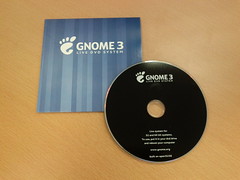
a quick post for people who want the GNOME 3 promo DVD iso image (it is based on 1.1.0 image, combining both x86 and x86-64 images and some demo video and music).

You can download it at : http://ftp.gnome.org/pub/GNOME/misc/promo-dvd/

Beware this image will not be updated, it is just there for archiving purpose.

Saturday, April 30, 2011

GNOME 3 Live image 1.2.0 released / GNOME 3.0.1 for openSUSE 11.4

Hi everyone,
GNOME 3 promo DVD

two news for this week-end :

Oh, I forgot : GNOME3 promo DVDs have been delivered to GNOME Foundation ;)

Enjoy !

Friday, April 22, 2011

GNOME 3 Live image version 1.1.0 released

Hi everyone, it is me again (yes, I know two posts in two days, incredible ;)

Boat over sunset

In the past week, we have been working on both GNOME:STABLE:3.0 repository and on creating a GNOME 3 Promo DVD, based on this live image, but with more content on it (LibreOffice, Banshee 2.0, etc..). Because of this, image size has increased a bit (950MB)

Good news too, we fixed KMS issues with some Radeon cards people reported when using live image (problem was fixed once the image was installed).

This new image (1.1.0) is now based on GNOME:STABLE:3.0 repository and contains all security and bugfix updates for openSUSE 11.4.

To download the image, go to http://www.gnome.org/getting-gnome/

Enjoy !

Thursday, April 21, 2011

GNOME 3.0 available for openSUSE 11.4

Hi everyone,

Asterix

openSUSE GNOME team has been busy polishing GNOME 3.0 packages for openSUSE 11.4 but here they are, for your pleasure


Everything is explained at : http://en.opensuse.org/openSUSE:GNOME_3.0
including :

  • how to install GNOME 3 using 1-click install from your favorite Web browser,
  • how to switch from my previous repository (home:fcrozat:gnome3, which will be soon phased out) to the new repository. This is important to continue receiving updates, for instance, if you installed live image on your system.

A new live image will be available shortly, based on this new repository (but this will be for another blog post).

Enjoy !

Thursday, April 7, 2011

GNOME3 Live image 1.0.0 released - It is about time

Hi everybody,
Génie de la Bastille
just in time for GNOME 3.0 release, I'm please to announce GNOME 3 Live Image version 1.0.0 release.

As you might expect, this release is built with GNOME 3.0.0. Other features, compared to latest image release :

  • radeon KMS should be fixed (it was preventing GNOME Shell to start since version 0.3.1)
  • speech-dispatcher is used for speech synthesis (ie Orca)
  • tracker is installed on the image
  • more fonts are installed by default
Live installer is also available from the running image, just search for "live" in GNOME-Shell overview panel (or you can still start the live install by adding liveinstall to boot command line).

As always, you can download the image from http://gnome3.org/tryit.html

For openSUSE 11.4 users, we will soon make a stable repository available with GNOME 3.0, watch this space for more info ;)

I am GNOME
As a side note, I'd like to thanks my employer (Novell) and my managers who allowed me to work on GNOME 3 for weeks fulltime.

Enjoy.

Wednesday, March 30, 2011

GNOME3 live image 0.3.1 released

Hello again,
Yak & Yeti logo

I just did a quick update to GNOME 3 live image, to fix some issues people discovered in previous images :

  • radeon / r600g openGL drivers have been switched to use gallium : they should be more stable with GNOME-Shell
  • GNOME Control Center system information correctly detects graphics card on your system
  • Empathy accounts panel is back in GNOME Control Center
As always, you can download it from http://gnome3.org/tryit.html. If you want to install this image on a system, just add "liveinstall" on the boot command line.

Enjoy !

Tuesday, March 29, 2011

GNOME3 Live Image version 0.3.0 released

You know the drill, another week, another release.

Want some colors ?

Release team decided to do another call for tarballs to fix some bugs across the entire GNOME3 platform, so 2.91.93 was released yesterday.

And today, you can download GNOME Live Image 0.3.0, which contains all the fixes from 2.91.93 tarballs.

Url to download it hasn't changed : http://gnome3.org/tryit.html

Enjoy !

Friday, March 25, 2011

GNOME 3 live image release 0.2.0 is out

Another week, another release

Cat looking at the sea

This week release is version 0.2.0. It features GNOME 2.91.92, including :

  • soon to be released Network Manager 0.9 and new UI integrated in GNOME Shell and GNOME Control Center (be careful, it has still rough edges)
  • a11y support should be improved

If you have installed this image or if you use the home:fcrozat:gnome3 openSUSE and want to upgrade to 2.91.92, you can update using zypper up (if you still want to keep Network Manager 0.8) or zypper dup (if you want to switch to NM 0.9). Some packages might be uninstalled in the process.

Image is, as always, available at http://gnome3.org/tryit.html

Enjoy !

Sunday, March 20, 2011

GNOME 3 Live image, release 0.1.1

As always, another week, another release, aka 0.1.1
Burano Cats
This week release is a polish release :

  • very few package changes
  • many services are disabled when booting live CD, improving its loading speed
  • password is no longer asked at all in live CD for root or standard (tux) user
  • when installing the image on a system (add liveinstall parameter on bootloader), some services are enabled back (apparmor, preload, firewall), thanks to Chris comments
Another service announcement :
my GNOME3 openSUSE 11.3 repository will soon be removed ; packages will be only available for openSUSE 11.4 (same OBS project). Therefore, I strongly suggest to upgrading your system to openSUSE 11.4.

You know the url to fetch the latest release :  http://gnome3.org/tryit.html

Enjoy !

Friday, March 11, 2011

GNOME 3 Live image 0.1.0 released - Geeko strikes back

Another week, another release.


add.jpg

This week has been a busy week : GNOME people worked really hard on 2.91.91 release and openSUSE people worked really hard on release openSUSE 11.4.

So, let's please everybody with this week GNOME 3 Live image 0.1.0 : it features GNOME 2.91.91 on top of the brand new openSUSE 11.4.

If you tested previous live image, you'll notice a lot of changes, so don't be surprised :
- image is no longer persistent when installed on USB stick : it was slowly first boot a lot (and we don't want to give people testing the image it is slowww) and sometime, if shutdown wasn't done properly, the persistent partition could become corrupted and you had to either remove it completely or redump the key
- language / keyboard / timezone selection at startup is gone : again, it was slowing the boot and the experience was completely different from GNOME3 experience. But you can still choose the language (as well as keyboard / timezone) : either in the boot menu at startup or later, in GNOME Control Center (in GNOME Shell, top right menu then System Settings and Regions / Language)
- no more password for demo user (named 'tux' ) nor root user : again, simplicity prevaled. If you get asked a password at any time, just press enter.
- virtualbox guest support is not available (temporary issue for this image and we still don't support GNOME Shell in virtualbox)
- a lot of translations have been added
- many GNOME packages have been ported to GNOME 3 platform and are preinstalled in the image
- since we rebased the image on openSUSE 11.4, we will try to stick to kernel and X11 drivers shipped with it.

As always, you'll find the image at http://gnome3.org/tryit.html


Enjoy.

(Yes, I know above photo isn't a gecko but I only had iguane in my photo albums :)

Friday, March 4, 2011

GNOME3 Live USB Image 0.0.6 - The return of the Cantarell

A quick update on GNOME3 live USB.

Femme de verre

I just pushed release 0.0.6, because the two previous releases (0.0.4 and 0.0.5) were no longer using Cantarell font by default and William spotted the error yesterday.

Main change : Cantarell font is now used for applications and GNOME Shell (and I also added yelp and more translations for some packages).

Image is available at http://gnome3.org/tryit.html